

Everything Xplorer
Interactive hierarchy visualization for every Salesforce record.
At a Glance
Salesforce holds the answers — but only if your people can see how the records connect. Everything Xplorer turns any record page into a living, interactive org chart. Starting from the record you are on, it visualizes parent, child and referenced records across standard and custom objects — so business users grasp complex hierarchies at a single glance. No reports to build. No data to export. Just open a record — and see the whole picture.
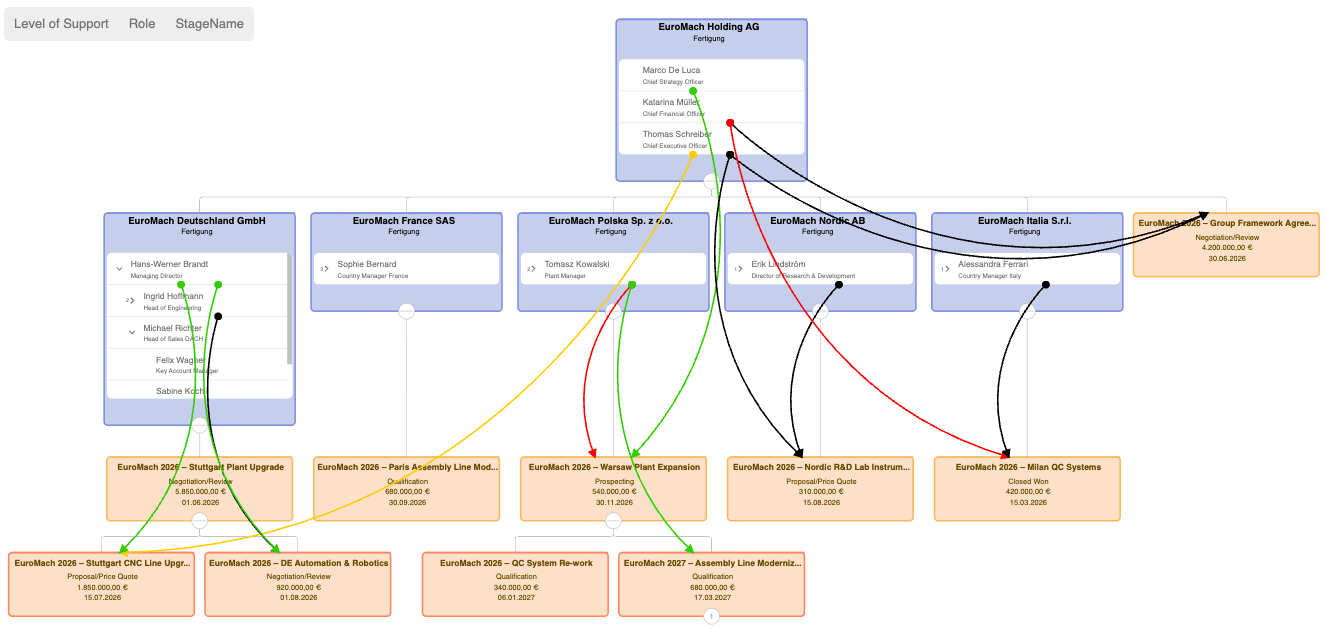
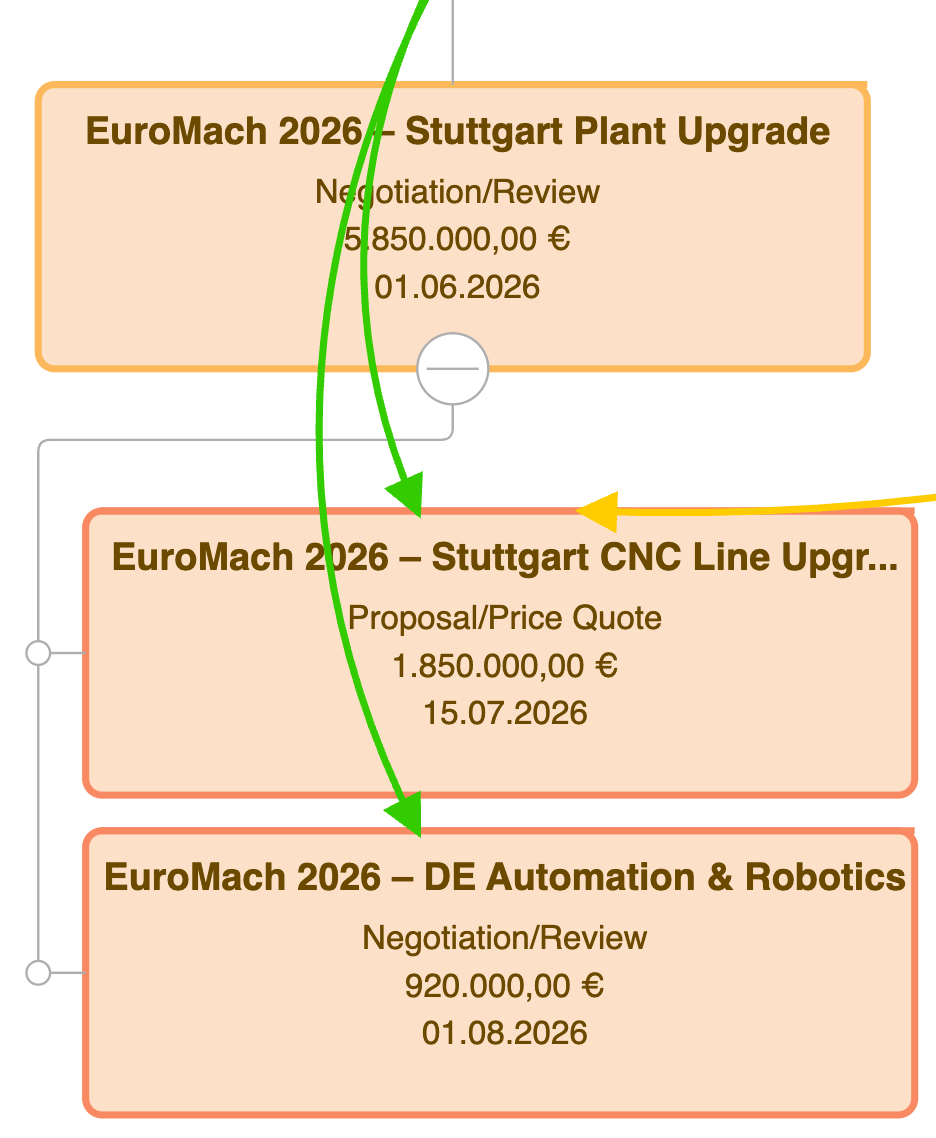
Above: Corporate account hierarchy with Contact reporting lines and Opportunities — Contact Roles rendered as colored influence edges, forming a live Buying Table.
Feature Tour
Designed for adoption — Everything Xplorer is built around four principles: keep the user in context, let them filter to what matters, let them search their way to any node, and let them choose the layout that fits the task. No training required.
Influence edges tell the whole story
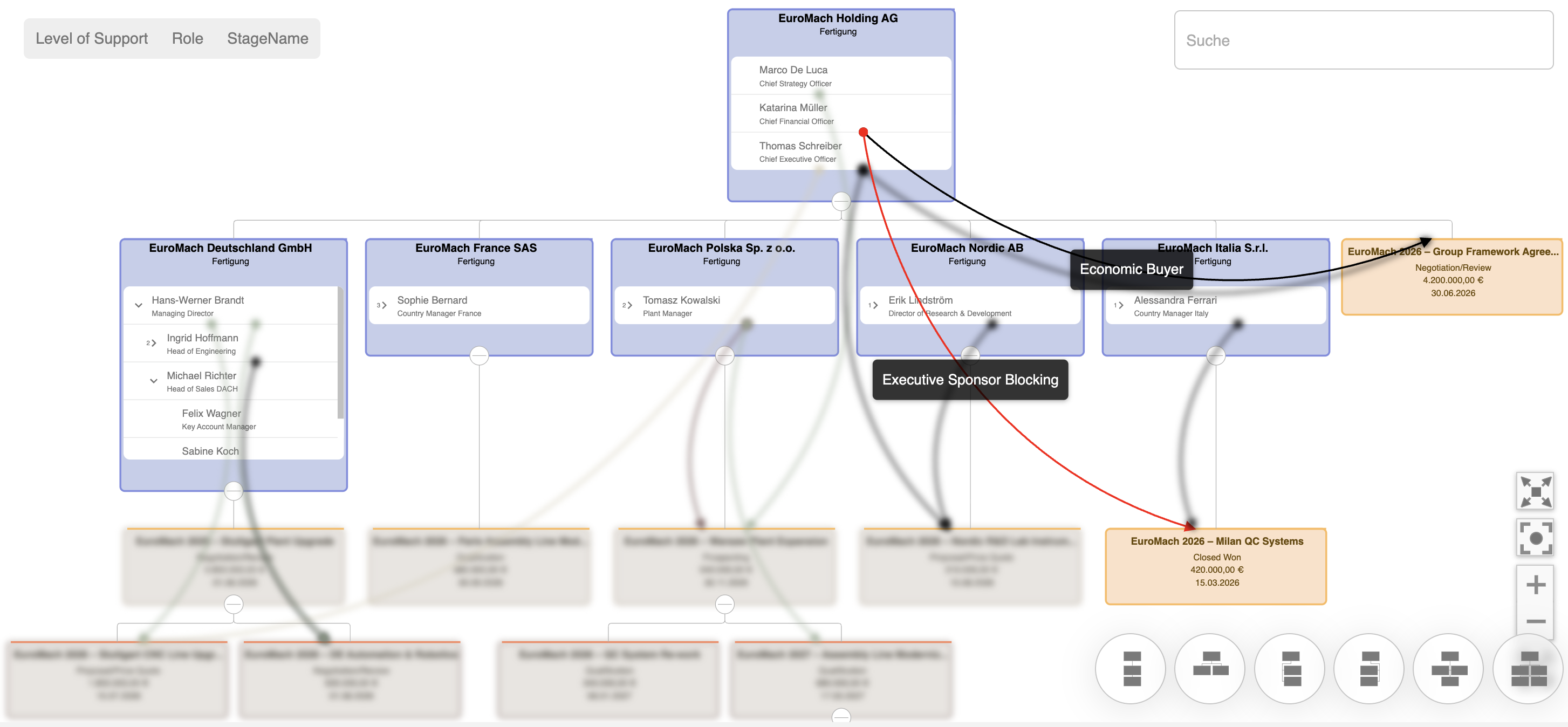
Every Contact Role becomes a coloured edge between contact and opportunity. Green signals support, red signals resistance, black marks the economic buyer, amber the influencer. Hover any edge to see the full role label — the Buying Table becomes self‑explanatory.
Slice the graph to the question at hand
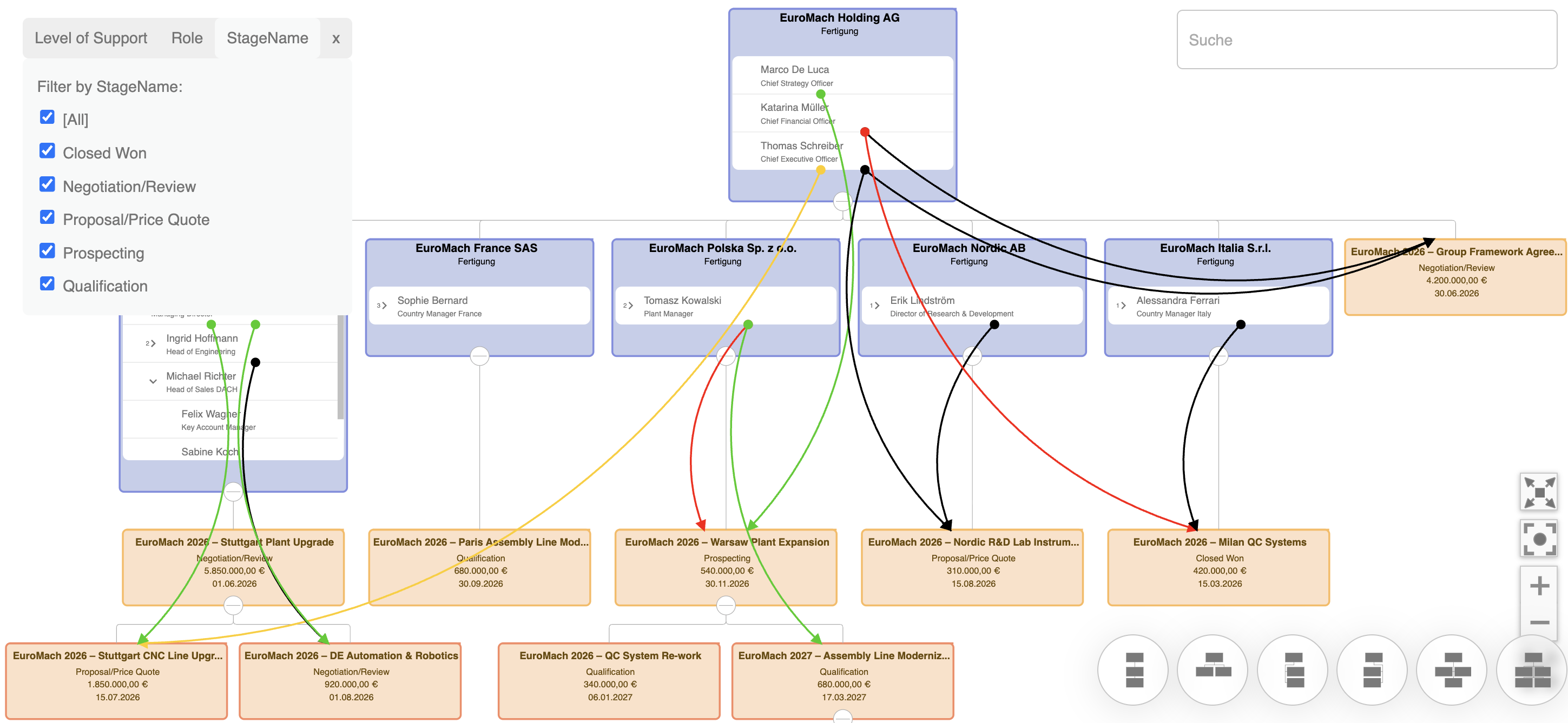
Three filter dimensions ship out of the box: Opportunity Stage, Contact Role, and a configurable Level of Support. Tick the values that matter — everything else fades away. Teams stop drowning in detail and start having the conversation that moves the deal forward.
Find anyone, anywhere in the hierarchy
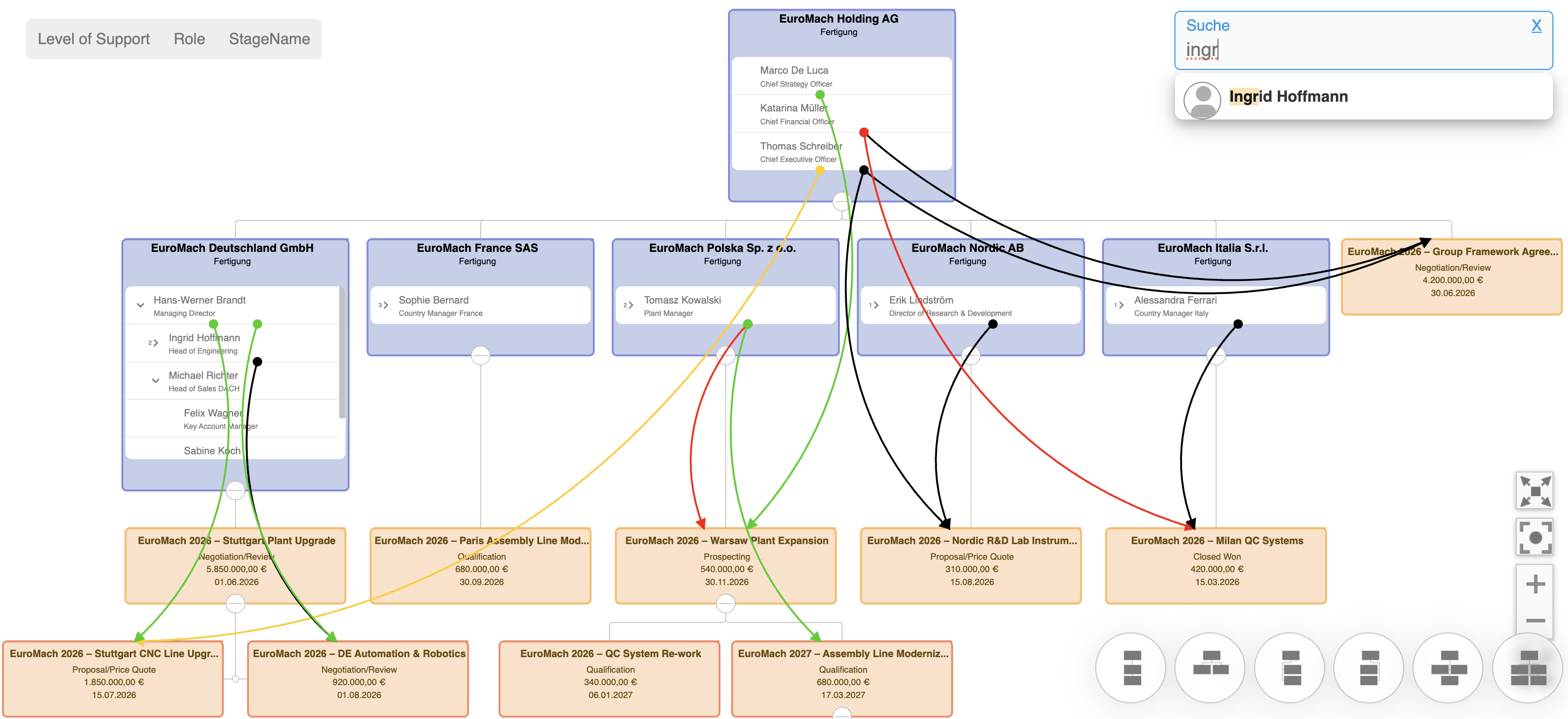
Type three letters. Account Explorer auto‑completes across every contact and record in the visible graph — even the collapsed branches. One click and the view jumps, expands and highlights the match. No scrolling, no guessing.
Choose the view that fits the task
Switch between tree, radial and hierarchical layouts with one click. Each layout optimises for a different use case — from compact overviews to deep drill-downs — so every stakeholder gets the perspective they need.
Use Cases
Sales · Key Accounts
Corporate structures with contacts and a live Buying Table
Visualise multi‑tier Account hierarchies together with Contact reporting lines and every Opportunity in play. Contact Roles surface as coloured influence edges — supportive, blocking, economic, influencer — so sales teams instantly see who decides, who recommends, and where relationships still need to be built.
Service · Support
Cases mapped onto the Asset hierarchy
Follow an asset from top‑level installation down to every component, with open and historical Cases attached at the exact level where they occurred. Service teams see whether an issue is isolated or systemic, and account managers spot at‑risk customers without running a single report.
Marketing
Campaign hierarchies with full contact journey
Parent and child campaigns appear in one view, with Campaign Members threading contacts through every touchpoint. Marketing can trace how a prospect moved from a webinar, through a nurture track, into a sales‑qualified conversation — all without leaving the record.
Partner · Channel
Distributor → Reseller → End Customer
Channel hierarchies rarely fit a flat data model. Everything Xplorer reveals the full route‑to‑market tree including Deal Registrations, co‑sell Opportunities and overlapping partner relationships — giving channel managers a clean line of sight across every layer of their ecosystem.
Financial · Services
Households, members and linked financial accounts
In Financial Services Cloud, relationships are the business. Advisors see the household, its members, financial accounts, goals and referrals in one graph — making cross‑sell opportunities, life‑event triggers and compliance context immediately obvious.
See it on your own data
Book a 30‑minute demo. We will install Everything Xplorer in your sandbox and walk you through the use cases that matter most to your business — with your records, your hierarchies, your questions.
Book a Demo